

Interactive Slides
The Interaction shelf of the slide-type picker holds slides for live sessions. Polls, Likert slides and feedback only collect answers while you present in Presenter Mode and the audience follows along on their phones in Follow Mode. Running them is covered in Polls and Feedback; this page covers the slides themselves. Every field, with its limits, is in the slide-type reference.
Poll Slide
Section titled “Poll Slide”A multiple-choice question with live results.
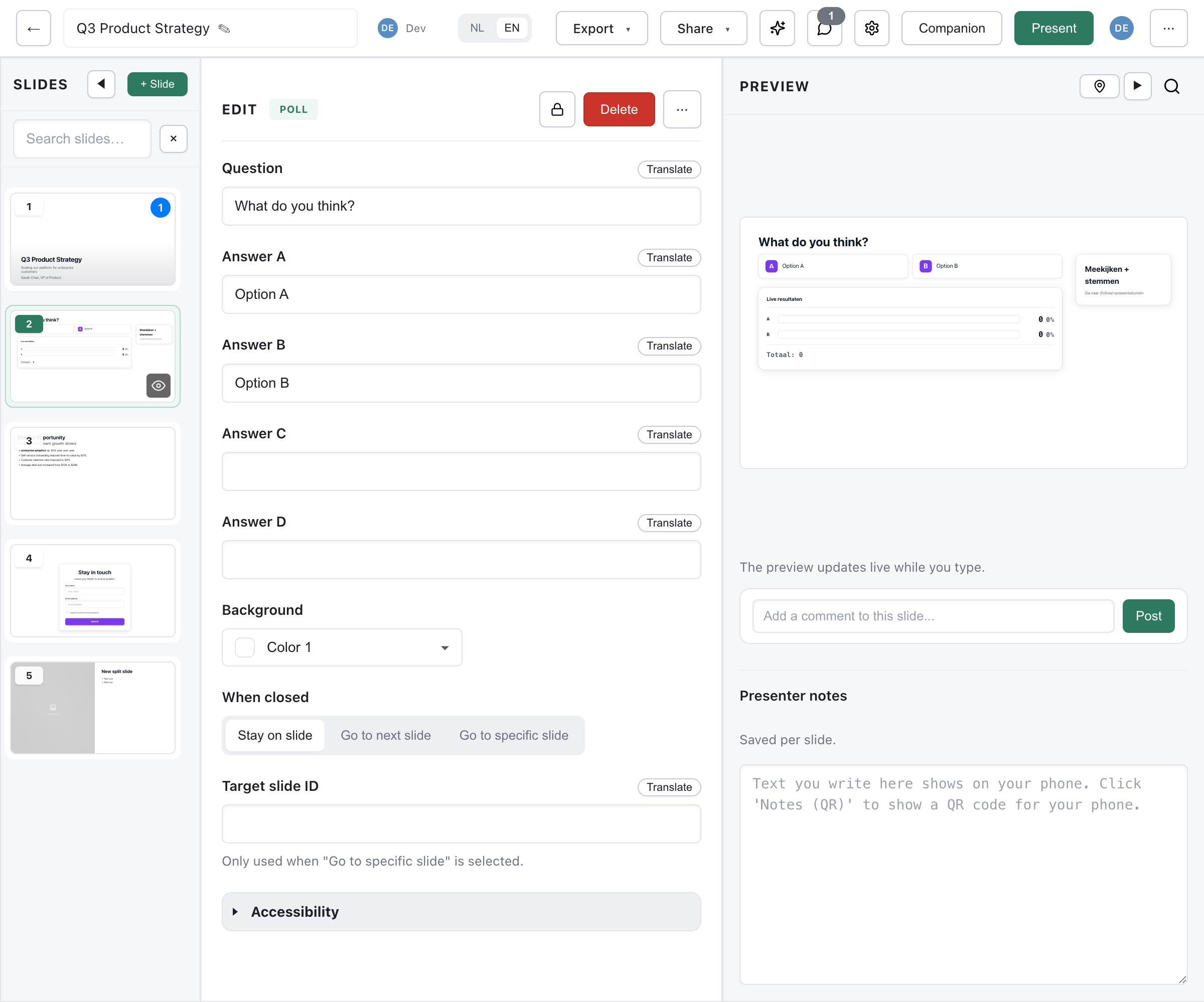
| Field | Required | Description |
|---|---|---|
question | Yes | The poll question (max 200 chars) |
options | Yes | 2-4 answers (max 120 chars each), labelled A to D on the slide |
onClose | No | What happens when you close the poll (see below) |
onCloseTarget | No | Target slide ID for goto |
background | No | lime or mist |
- Live results - Bars with the count and percentage per answer, plus the total, update as votes come in.
- Join panel - The slide carries a “Follow along + vote” panel so people who have not joined yet can still do so. It shows the join code for each language version of the deck once codes exist, and otherwise the follow link for the version on screen.
Closing Behavior
Section titled “Closing Behavior”When you close the poll:
stay- Remain on the poll slide with the final resultsnext- Move to the next slidegoto- Jump to the slide inonCloseTarget
Likert Slide
Section titled “Likert Slide”A statement rated on a labelled scale (likert-slide, Likert (agree/disagree) in the picker).
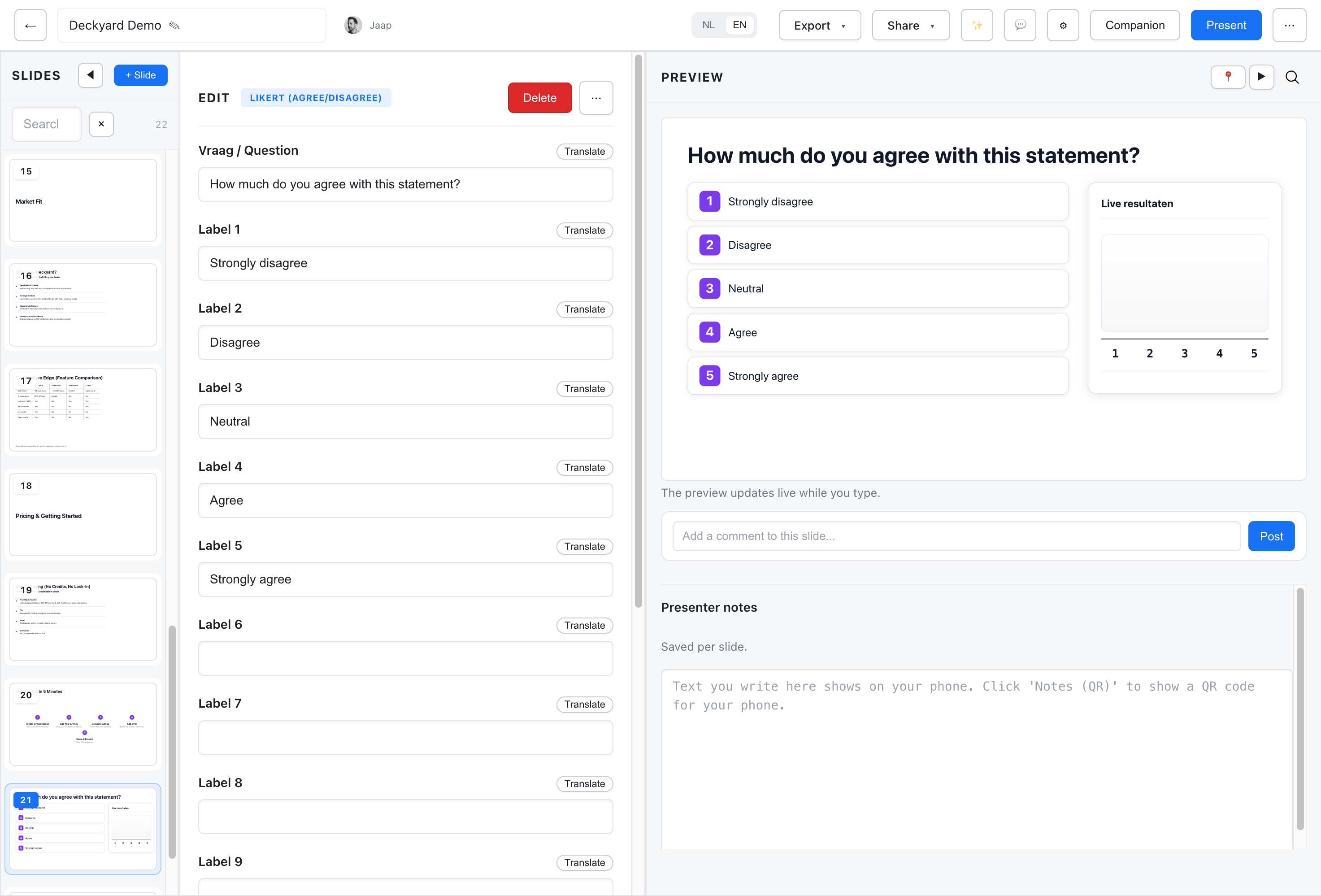
| Field | Required | Description |
|---|---|---|
question | Yes | The statement to rate (max 200 chars) |
options | Yes | 2-10 scale labels, in order (max 120 chars each) |
onClose, onCloseTarget | No | As on the Poll slide |
background | No | lime or mist |
A new Likert slide starts as a five-point scale: Strongly disagree, Disagree, Neutral, Agree, Strongly agree. Results show as a curve over the scale, the “hill chart”, so you see where answers cluster.
Likert Slider Slide
Section titled “Likert Slider Slide”A rating on a fixed scale from 1 to 10, set with a slider (likert-slider-slide).
| Field | Required | Description |
|---|---|---|
question | Yes | The statement to rate (max 200 chars) |
minLabel | No | Label for the left end, 1 (max 120 chars) |
maxLabel | No | Label for the right end, 10 (max 120 chars) |
background | No | lime or mist |
It has no closing behavior. Use it for satisfaction, confidence or relevance ratings where a finer scale helps.
Feedback Slide
Section titled “Feedback Slide”An open question the audience answers in writing on their phones (feedback-slide).
| Field | Required | Description |
|---|---|---|
question | Yes | The feedback prompt (max 200 chars) |
placeholder | No | Hint text in the audience’s answer box (max 120 chars) |
background | No | lime or mist |
- The slide shows the question, a QR code and the access code for each language version. Answers are never shown on the slide or in the presenter view.
- While presenting, you see how many answers came in, and you can download them as CSV.
- Answers belong to the live session and are deleted when it closes, so download them before then. See Feedback.
Follow-Along Invite Slide
Section titled “Follow-Along Invite Slide”A QR code and join code so the audience can follow along (follow-invite-slide).
- It has no fields of its own: the QR code and code are filled in for the language version on screen.
- The invite text is Dutch or English, matching the version shown.
- It only shows in live sessions; it is left out of exports and published views.
Put it at the start of an interactive session, or before a series of Likert or feedback slides; unlike the Poll slide, those carry no join panel of their own.
Countdown Timer Slide
Section titled “Countdown Timer Slide”A large timer you control while presenting (countdown-slide). It collects no answers; it gives the room a shared clock for an exercise, a break or a voting round.
| Field | Required | Description |
|---|---|---|
title | No | Title above the timer (max 120 chars) |
durationMinutes | No | Minutes, 0-60 (default 5) |
durationSeconds | No | Seconds, 0-59 (default 0) |
autoStart | No | Start as soon as the slide is shown: off (default) or on |
flashOnZero | No | Flash red at zero: on (default) or off |
soundOnZero | No | Beep at zero: off (default) or on |
zeroText | No | Text shown at zero (max 60 chars, default “Time!”) |
background | No | dark (default), lime, mist, accent, brand-1, brand-2 or custom |
While presenting you can start, pause and reset the timer. In thumbnails it shows the start time and never runs. Browsers only allow the beep after you have interacted with the page.
How Interactive Slides Work
Section titled “How Interactive Slides Work”- You present in Presenter Mode; the session goes live.
- The audience joins in Follow Mode with the code or QR.
- When you reach a poll, Likert or feedback slide, it opens by itself and followers can answer on their phones. They can only answer the slide you are showing.
- Results and response counts update live on the slide and in the presenter view.
- You close, reopen or reset each interaction from the presenter view.
Updates reach the presenter and the audience over Server-Sent Events (SSE); votes, answers and presenter actions go to the server as ordinary HTTP requests.
Best Practices
Section titled “Best Practices”Poll Design
Section titled “Poll Design”- Keep questions clear and concise; four answers is the maximum.
- Use neutral answer ordering to avoid bias.
Likert Scales
Section titled “Likert Scales”- Use the same scale direction throughout a deck.
- Label every point, or both ends of a slider.
Timing
Section titled “Timing”- Give people time to scan the code and answer before you close.
- Watch the count to see when most have responded.
- Use a Countdown timer slide when the room needs a visible deadline.