

Analytics
Analytics integrations
Section titled “Analytics integrations”This project supports external analytics providers for measuring use of the Deckyard app itself: the editor and the rest of the signed-in interface.
- The server injects provider tags into the app’s HTML
<head> - Published presentations and embeds never load third-party analytics; viewer statistics for a published deck come from Deckyard’s own first-party tracking
- Configure via environment variables or the Admin Settings UI
- No client build step required
Implementation lives in server/analytics/head.js.
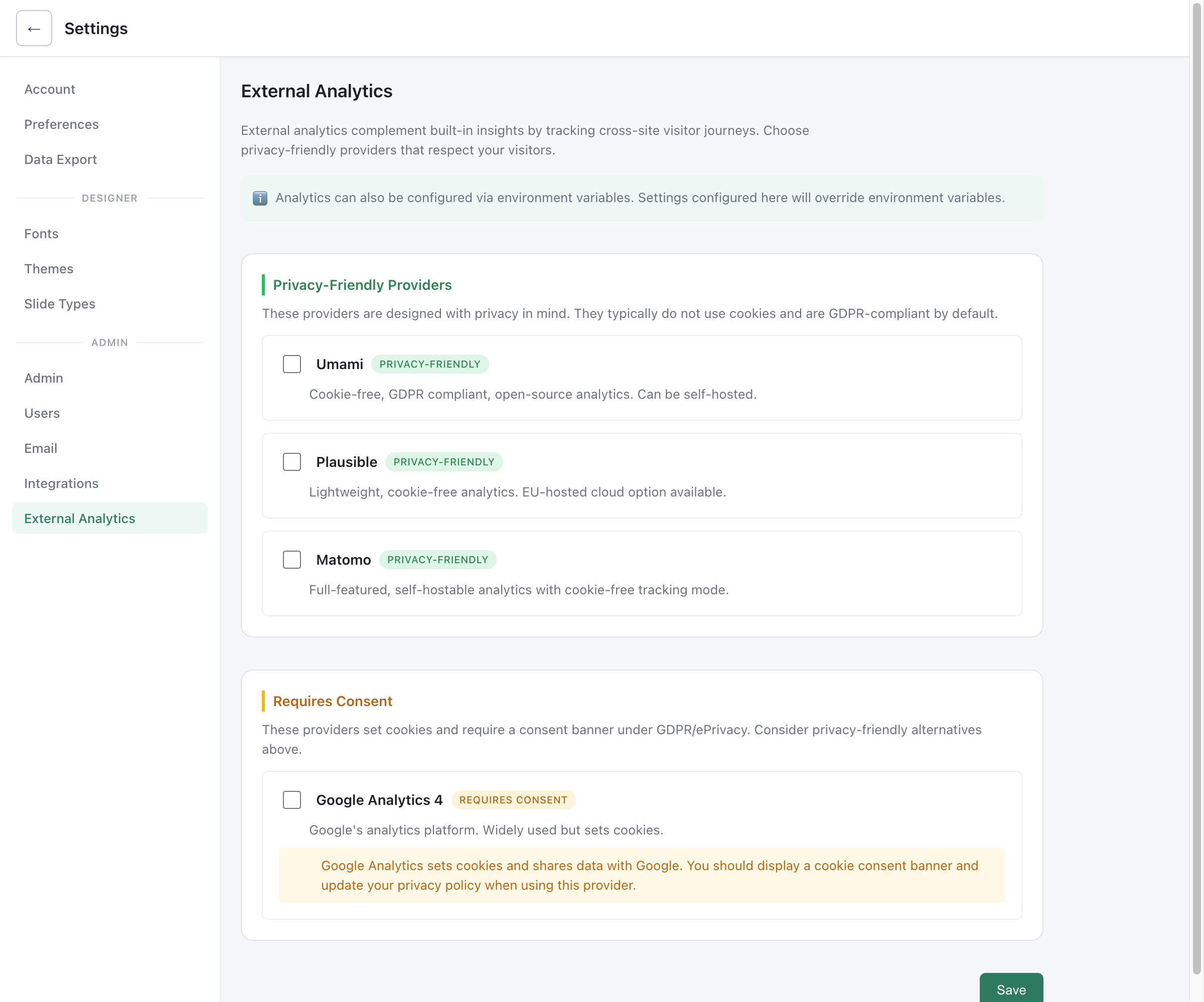
Configuration methods
Section titled “Configuration methods”You can configure analytics providers in two ways:
- Environment variables - Set in your
.envfile (traditional method) - Admin Settings UI - Configure at Settings → External Analytics
Settings configured via the Admin UI take priority over environment variables.
Quick start
Section titled “Quick start”- Copy
.env.example→.env - Pick one or more providers below
- Restart the server
Or use the Admin Settings UI at /settings#analytics.
Privacy-friendly providers
Section titled “Privacy-friendly providers”These providers are designed with privacy in mind. They typically don’t use cookies and are GDPR-compliant by default.
Umami (self-hosted or cloud)
Section titled “Umami (self-hosted or cloud)”Umami is a simple, fast, privacy-focused analytics tool.
Environment variables:
UMAMI_WEBSITE_ID- Website ID from your Umami dashboardUMAMI_URL- Server URL (optional, defaults tohttps://cloud.umami.is)
Example:
UMAMI_WEBSITE_ID=a1b2c3d4-e5f6-7890-abcd-ef1234567890UMAMI_URL=https://analytics.example.comPlausible (self-hosted or cloud)
Section titled “Plausible (self-hosted or cloud)”Plausible is lightweight, cookie-free analytics with EU-hosted cloud option.
Environment variables:
PLAUSIBLE_DOMAIN- The domain you want to trackPLAUSIBLE_URL- Server URL (optional, defaults tohttps://plausible.io)
Example:
PLAUSIBLE_DOMAIN=slides.example.orgPLAUSIBLE_URL=https://plausible.example.orgMatomo (self-hosted)
Section titled “Matomo (self-hosted)”Matomo is a full-featured, self-hostable analytics platform with cookie-free tracking mode.
Environment variables:
MATOMO_URL- Your Matomo server URLMATOMO_SITE_ID- Site ID from Matomo settingsMATOMO_DISABLE_COOKIES- Disable cookies (default:1)MATOMO_REQUIRE_CONSENT- Require consent before tracking (default:0)MATOMO_TRACK_LINKS- Enable link tracking (default:1)
Example:
MATOMO_URL=https://matomo.example.orgMATOMO_SITE_ID=1MATOMO_DISABLE_COOKIES=1Providers requiring consent
Section titled “Providers requiring consent”These providers set cookies and require a consent banner under GDPR/ePrivacy regulations.
Google Analytics 4 (GA4)
Section titled “Google Analytics 4 (GA4)”Environment variables:
GA4_MEASUREMENT_ID- Your GA4 measurement ID (format:G-XXXXXXXXXX)
Example:
GA4_MEASUREMENT_ID=G-ABC123XYZNote: GA4 sets cookies and shares data with Google. You should display a cookie consent banner and update your privacy policy when using this provider.
Google Tag Manager (GTM)
Section titled “Google Tag Manager (GTM)”For more complex setups with multiple tags managed through GTM.
Environment variables:
GTM_CONTAINER_ID- Your GTM container ID (format:GTM-XXXXXXX)
Example:
GTM_CONTAINER_ID=GTM-ABCDEF1Notes:
- This injects the standard GTM
<script>in<head> - For the GTM
<noscript>fallback, use the custom snippet escape hatch
Custom snippet (escape hatch)
Section titled “Custom snippet (escape hatch)”If your provider isn’t listed (or you need full control), inject your own <head> HTML.
Prefer base64 to avoid quoting issues:
ANALYTICS_HEAD_HTML_B64=...
Or a single-line raw string:
ANALYTICS_HEAD_HTML=<script>...</script>
Security note: This is operator-controlled HTML injection. Do not allow untrusted users to set these environment variables.
Admin Settings UI
Section titled “Admin Settings UI”Administrators can configure external analytics providers through the web interface:
- Go to Settings → External Analytics
- Enable the providers you want to use
- Enter the required configuration (Website ID, domain, etc.)
- Click Save
The UI groups providers into two sections:
- Privacy-Friendly Providers: Umami, Plausible, Matomo
- Requires Consent: Google Analytics 4
Each provider shows its privacy characteristics and required fields. A warning appears if you enable a provider without completing required fields.
Common toggles
Section titled “Common toggles”| Variable | Description |
|---|---|
DISABLE_ANALYTICS=1 | Disables all external analytics injection |
ANALYTICS_ALLOW_IN_SANDBOX=1 | Allows analytics in sandbox mode |
The former ANALYTICS_INCLUDE_EMBEDS and ANALYTICS_INCLUDE_EXPORTS no longer exist: embeds and exports never carry external analytics.
Priority order
Section titled “Priority order”When both environment variables and Admin UI settings are configured for the same provider:
- Admin UI settings take priority when the provider is enabled and has required fields filled
- Environment variables are used as fallback
- Disabled if neither is configured
This allows operators to set default analytics via environment variables while giving admins the ability to override through the UI.