

From Text (AI Wizard)
Use the AI wizard to generate a presentation from raw text - perfect for turning documents, notes, or briefs into slides.
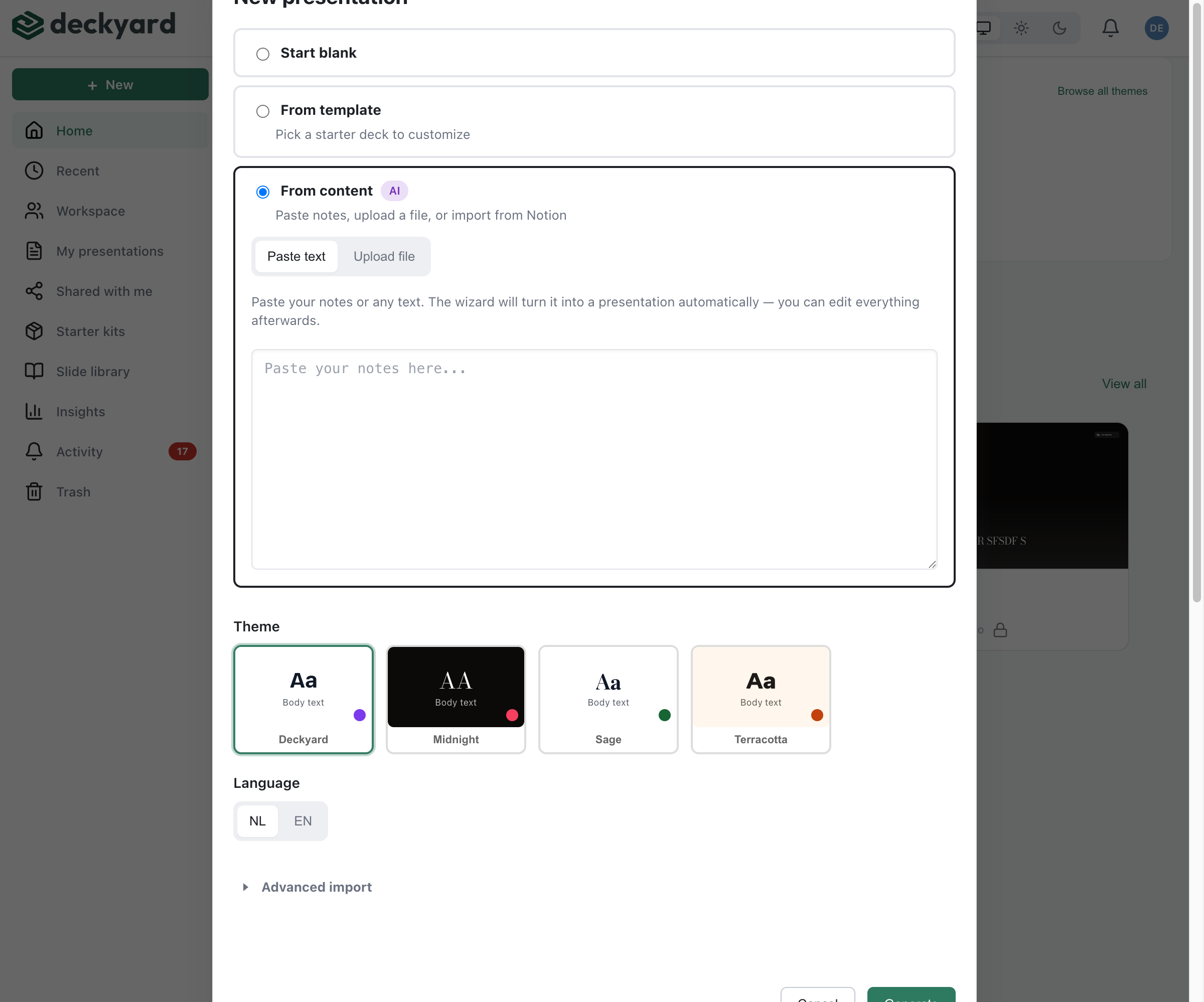
How It Works
Section titled “How It Works”- Click + New in the sidebar and choose Generate from content
- On the Paste text tab, paste your text (raw notes, document content, meeting notes - any text works)
- Choose the output language (NL or EN) and, optionally, a theme
- Click Generate
The Upload file tab next to it takes a .pptx, .pdf, .docx, .rtf or .odt file as source material instead: the AI writes a new presentation from its content rather than copying the slides over.
The AI analyzes your content and creates slides using appropriate slide types.
What the AI Does
Section titled “What the AI Does”- Identifies key points and structures them into slides
- Chooses appropriate slide types (title, content, lists, quotes, etc.)
- Preserves the logical flow of your content
- Creates speaker notes where appropriate
After Generation
Section titled “After Generation”Generated presentations are starting points. You should:
- Review each slide - Check that the AI captured your intent
- Adjust headings - Make titles more engaging
- Add images - Replace placeholders with actual images
- Write speaker notes - Add personal notes for presenting
- Translate - Generate the second language version if needed
Tips for Better Results
Section titled “Tips for Better Results”- More context = better output - Provide detailed text for best results
- Structure helps - Text with clear headings generates better slides
- Iterate - You can always add more AI-generated slides later via “AI Add…” in the editor