

Editing Presentations
The Deckyard editor is where you build and refine your presentations.
Editor Layout
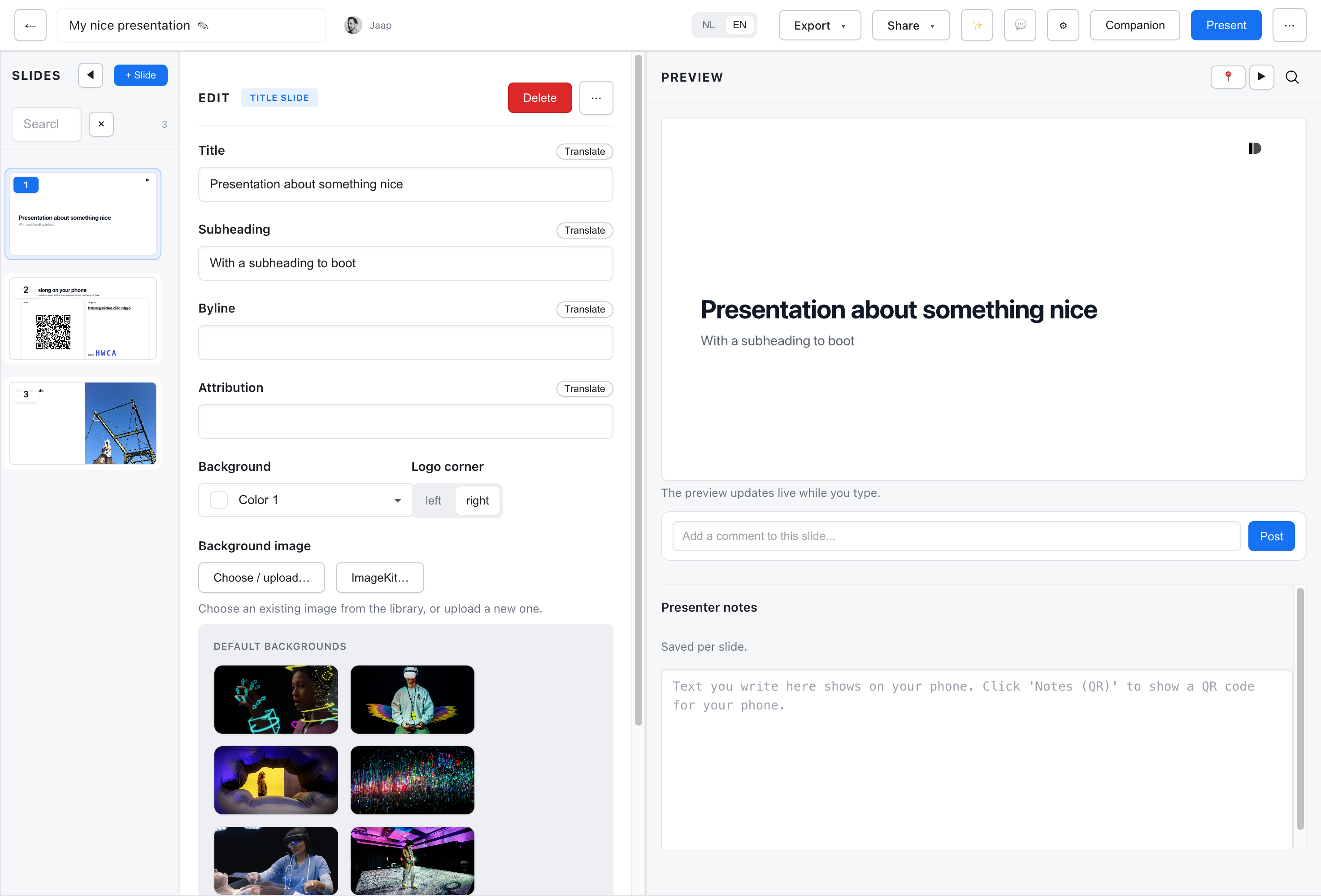
Section titled “Editor Layout”The editor has three columns:
- Slides panel (left) - Your slide list for navigation and reordering
- Canvas column (center) - The slide itself, rendered the way it will be presented. Two tabs head this column: Canvas shapes the slide in place, Fields edits the same content as a form. Presenter notes sit in a strip underneath.
- Inspector rail (right) - Inspector holds the settings of the selected slide, Comments the discussion about it. Clicking the selected tab dismisses the rail; its heading stays, so you can always reopen it where it was.
In This Section
Section titled “In This Section”- Slides Panel - Navigate, reorder, nest, and hide slides
- Live Preview - How the preview works
- Basic Editing - Common editing tasks
- Converting Slides - Change a slide’s type
- Speaker Notes - Add presenter notes
- Accessibility - A11y titles, summaries, and alt-text
- Keyboard Shortcuts - Speed up your workflow
Presentation Settings
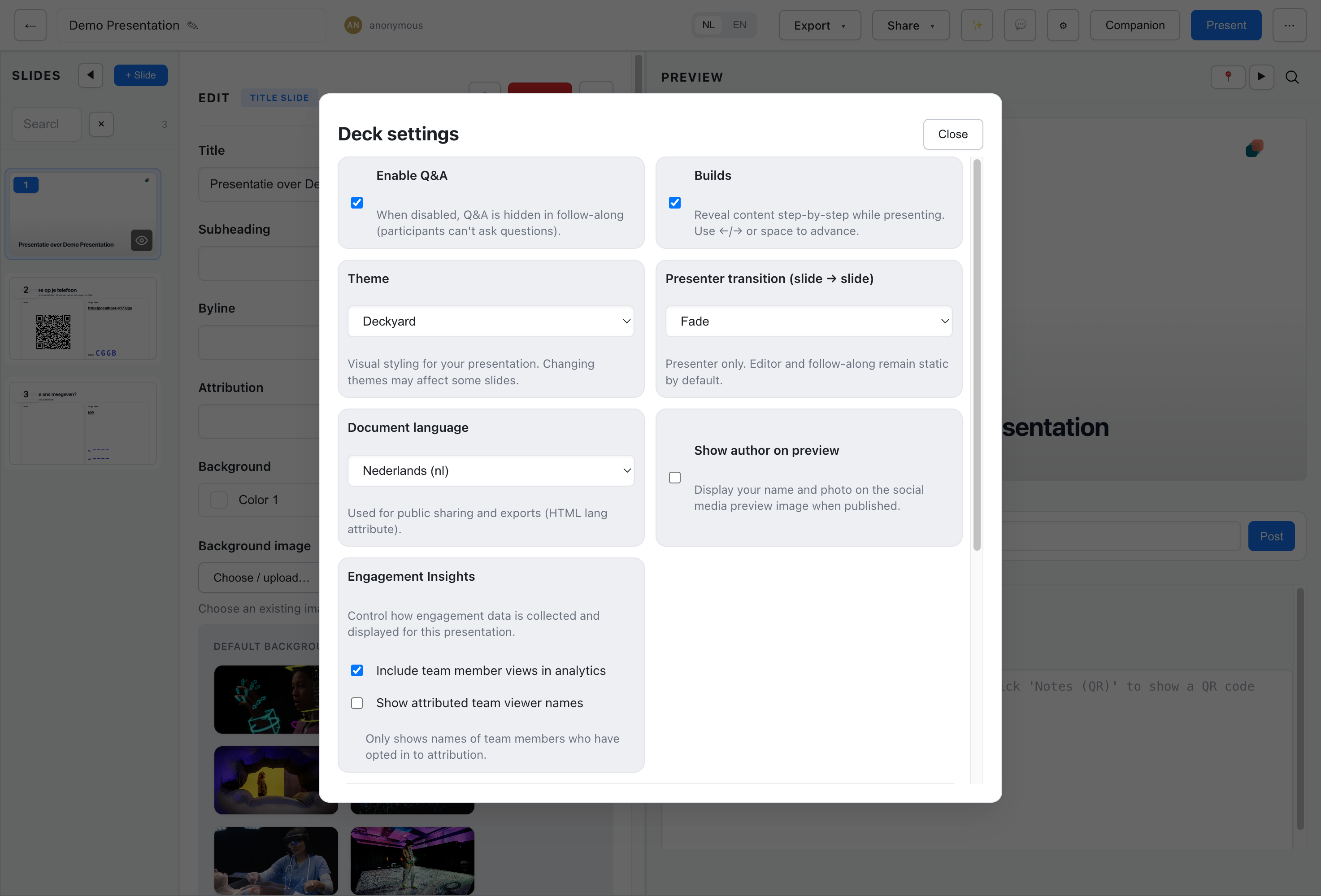
Section titled “Presentation Settings”Open the ⋯ menu in the editor’s top bar and choose Settings. Deck settings opens as a panel in the right-hand rail, next to the slide you are editing, so you see the effect of a change while you make it. On a narrow screen the panel opens as a drawer over the canvas.
The panel shows one section at a time:
- General - The source language, Tags and Description
- Appearance - The theme
- Playback - Builds, reveal style, presenter transition and timed slides
- Publishing - Q&A, author on the preview image and RSS feed exclusion
- Analytics - Team views in the deck’s analytics (only when your installation has analytics)
- Live video - A live stream shown over the slides
The source language is read-only: it is the language the deck was written in, listed beside its other language versions. To add or edit a language version, use Open translations or the language menu in the top bar.
Changes save as you make them. Each section has its own address (?panel=settings§ion=playback, for example), so reloading the page, the browser’s Back and Forward buttons and a link you share all bring you to the same section. Back closes the panel.
Auto-Save
Section titled “Auto-Save”Changes are saved automatically as you work. If you try to leave with unsaved changes, you’ll see a browser warning.
Language Switching
Section titled “Language Switching”The editor works in one language at a time. Use the language toggle at the top to switch between NL and EN. Each language version is edited separately.