

Basic Editing
These editing patterns work across all slide types.
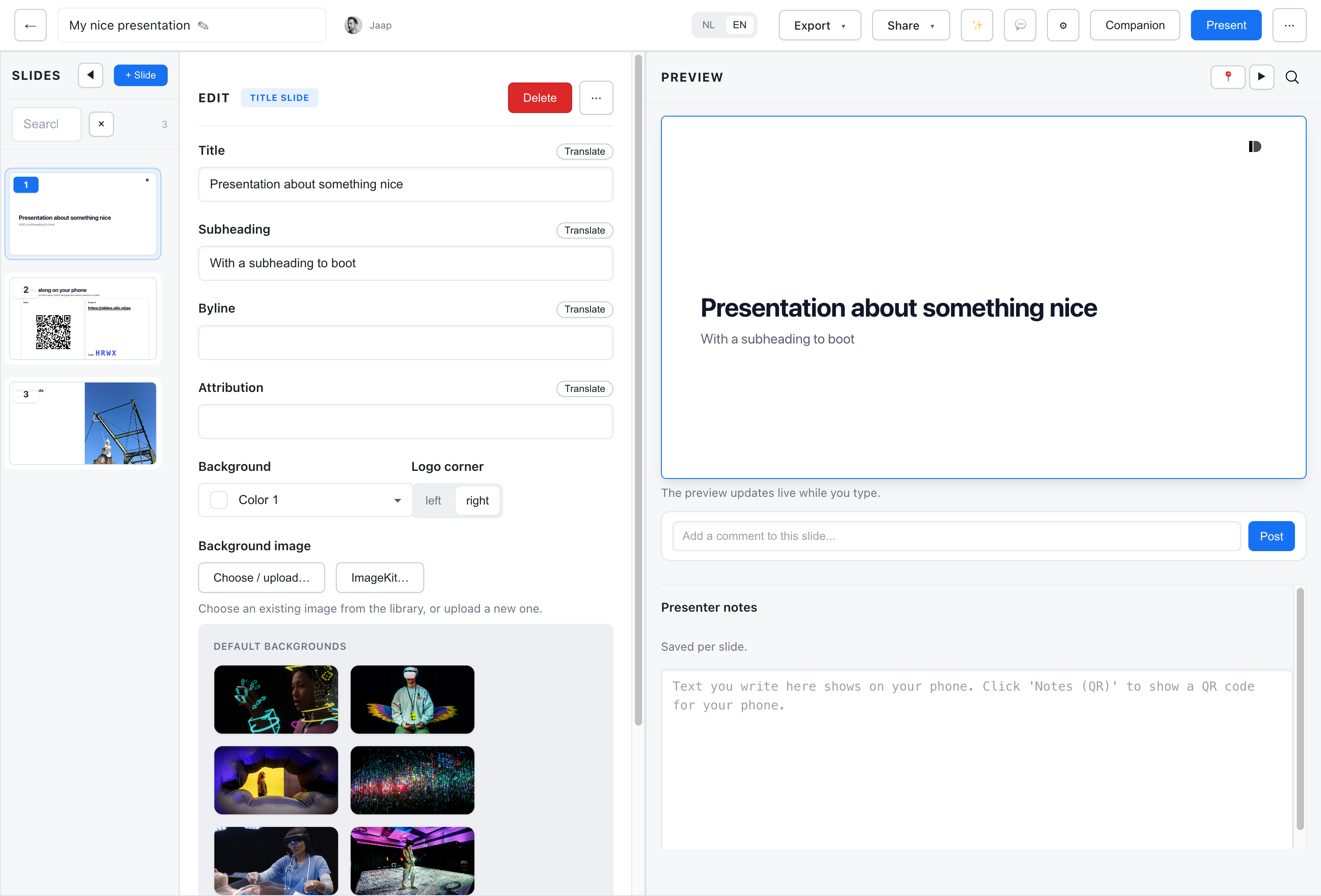
Text Fields
Section titled “Text Fields”Most slides have text fields for titles, body content, or captions:
- Click a field to start typing
- Changes save automatically
- Markdown is supported in many fields (bold, italic, links)
Rich Text
Section titled “Rich Text”Where supported, you can use Markdown:
**bold**for bold*italic*for italic[link text](url)for links- Lists with
-or1.
Images
Section titled “Images”To add an image to a slide:
- Click the image field or Add Image button
- Choose from:
- Upload - Upload from your computer
- Image Library - Select from your library
- Unsplash - Search free stock photos
- Add alt-text for accessibility
Background Images
Section titled “Background Images”Some slide types support background images:
- Set via the Background field
- Choose a background variant (light overlay, dark overlay, etc.)
- The theme controls how backgrounds are displayed
Selecting Content
Section titled “Selecting Content”For slides with multiple items (cards, list items):
- Click an item to select and edit it
- Use controls to add, remove, or reorder items
Undo/Redo
Section titled “Undo/Redo”Use standard keyboard shortcuts:
- Cmd/Ctrl + Z - Undo
- Cmd/Ctrl + Shift + Z - Redo