

From Notion
Turn your Notion pages into presentations with a few clicks.
How It Works
Section titled “How It Works”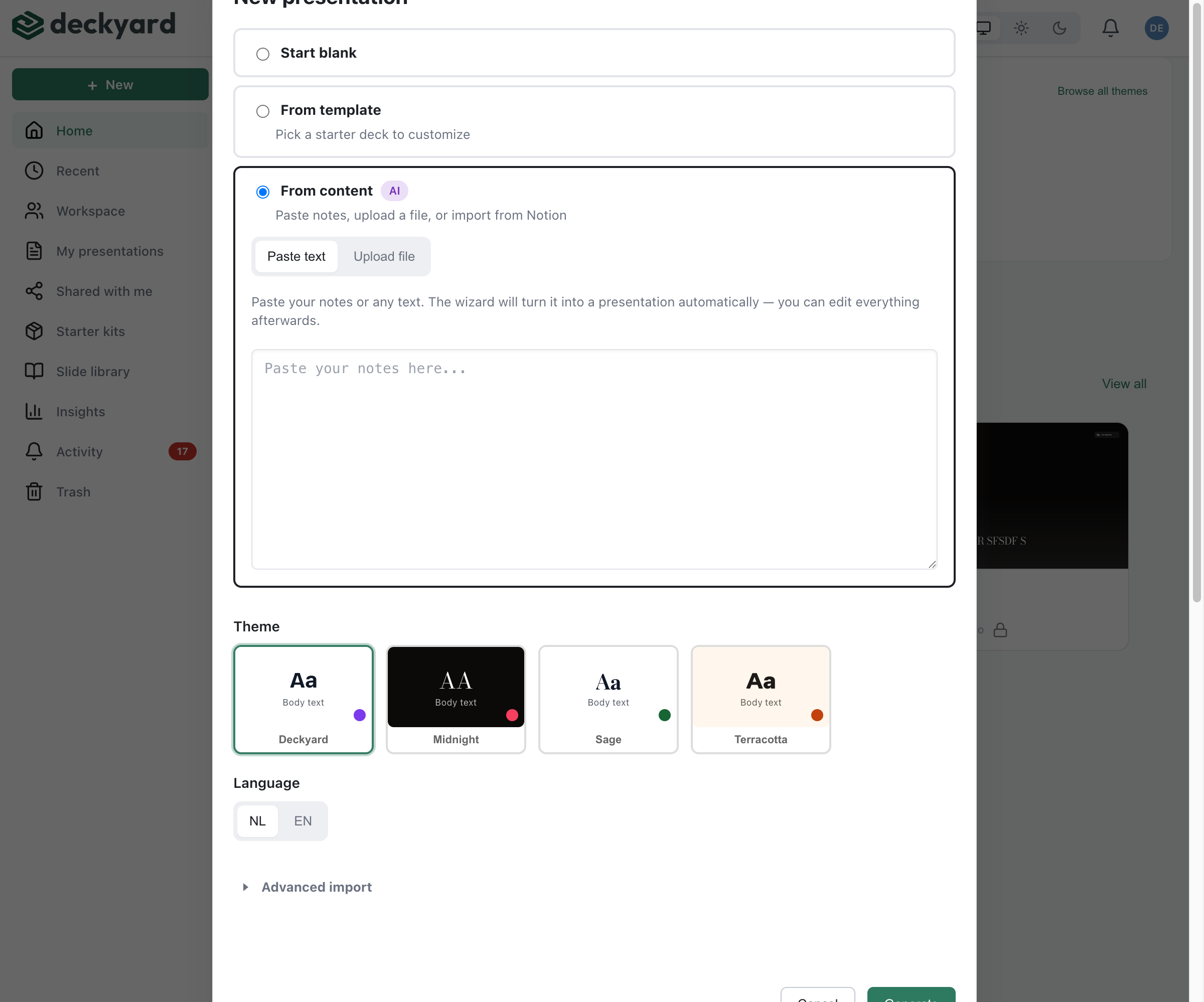
- Click + New in the sidebar and choose Generate from content
- Open the Notion tab, next to Paste text and Upload file
- Paste the URL of the Notion page you want to import
- Choose the output language (NL or EN) and, optionally, a theme
- Click Import
The Notion tab only appears when your instance has the Notion integration enabled and configured; without it, the dialog looks like the screenshot above.
What Gets Imported
Section titled “What Gets Imported”The system extracts and converts:
- Headings - Become slide titles and section breaks
- Text paragraphs - Become content slides
- Bullet lists - Become list slides
- Numbered lists - Preserved as ordered content
- Quotes - Become quote slides
- Code blocks - Preserved with formatting
- Callouts - Converted to appropriate slide types
- Tables - Become table slides
- Images - Imported as image slides
After Import
Section titled “After Import”Review and refine:
- Check that content was split into slides logically
- Adjust slide types if the AI chose incorrectly
- Add images where needed
- Write speaker notes
- Generate the translation if presenting bilingually
Publishing Back to Notion
Section titled “Publishing Back to Notion”If your presentation was created from a Notion page, you can embed it back:
- Go to export options
- Select “Add to Notion Page”
- The embed is automatically added to the source page
Notion Integration Setup
Section titled “Notion Integration Setup”Your Deckyard instance needs the Notion integration configured. See Notion Integration for setup instructions.