

Speaker Notes
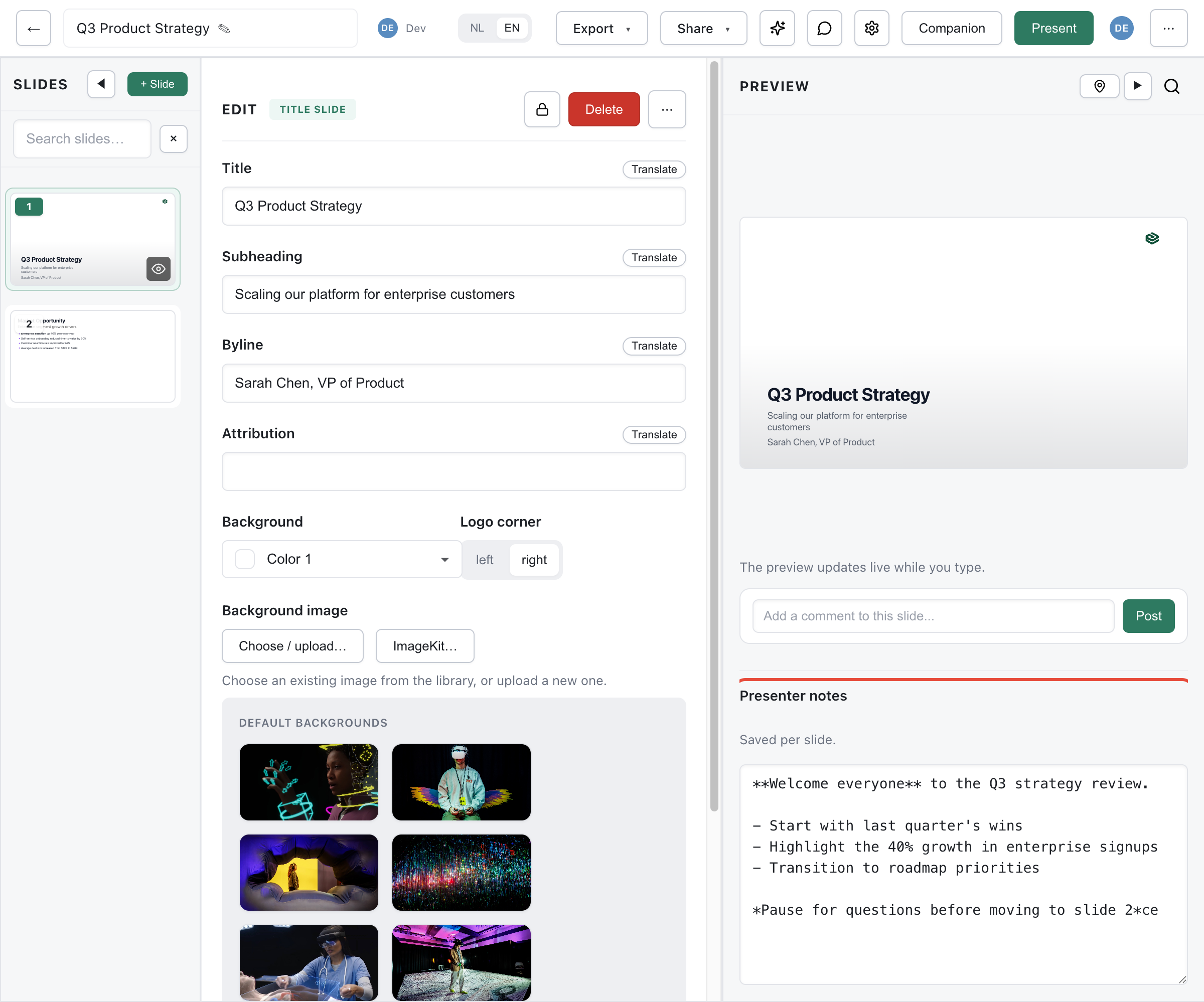
Speaker notes help you remember what to say during your presentation.
Adding Notes
Section titled “Adding Notes”Each slide has a Speaker Notes field below the main content fields:
- Select a slide
- Scroll down to the Speaker Notes section
- Type your notes
- Notes save automatically
Markdown Support
Section titled “Markdown Support”Notes support Markdown formatting:
- Bold key points with
**text** - Create bullet lists with
- - Add emphasis with
*italic*
Using Notes While Presenting
Section titled “Using Notes While Presenting”During a presentation, view your notes on your phone:
- Click Notes (QR) in the editor
- Scan the QR code with your phone
- Your phone shows the current slide preview and notes
- Notes sync automatically as you advance slides
See Notes View for details.
Best Practices
Section titled “Best Practices”- Keep notes concise - Bullet points work better than paragraphs
- Include key phrases - Write what you want to say, not full scripts
- Add timing cues - Note transitions like “pause here” or “demo time”
- Write early - Add notes while the content is fresh
Notes in Exports
Section titled “Notes in Exports”Speaker notes can be exported separately via Notes Export for printing or sharing.