

New Presentation
Start a fresh presentation and build it slide by slide.
Creating a New Presentation
Section titled “Creating a New Presentation”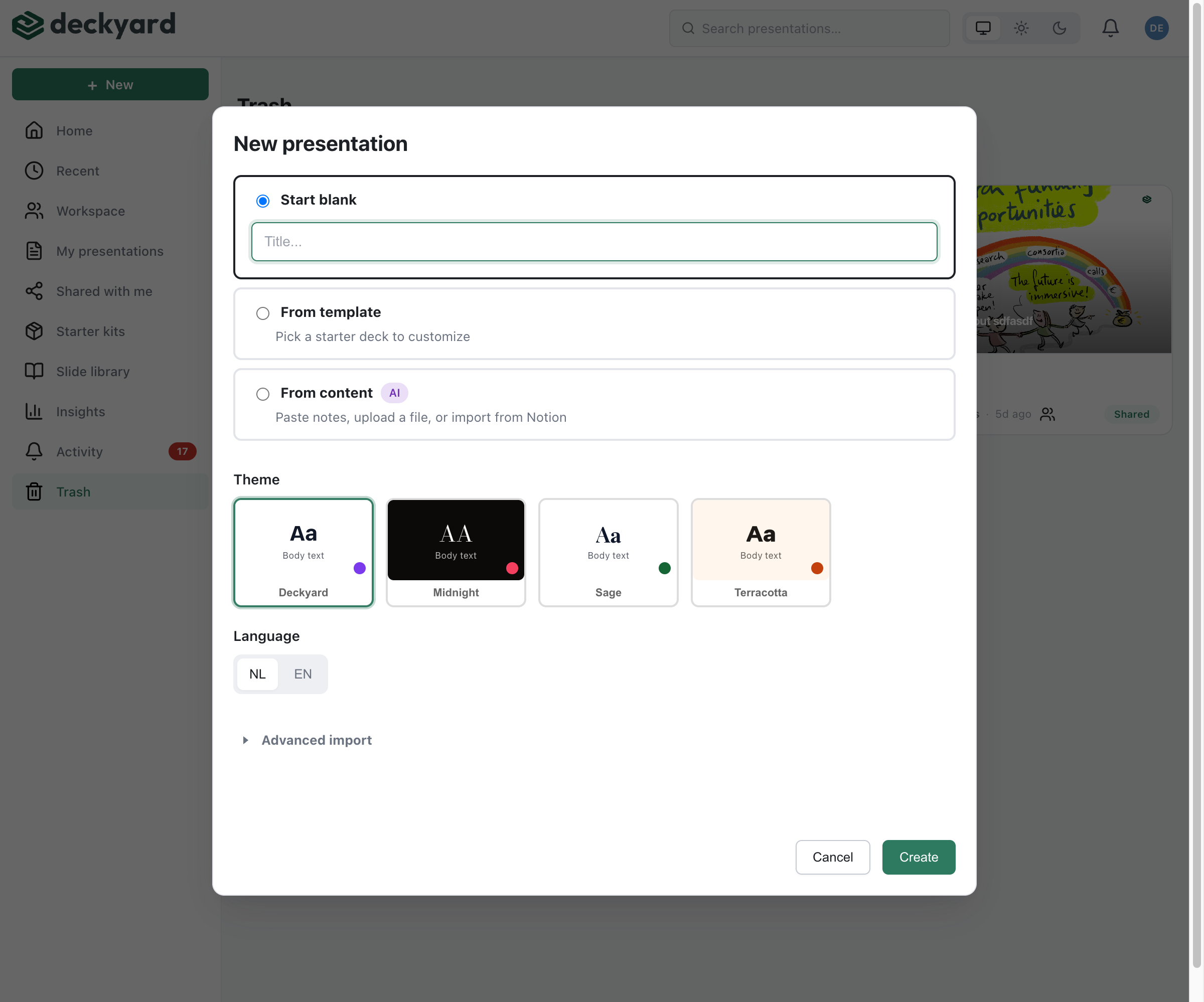
- Click + New at the top of the sidebar. The New presentation dialog opens on Blank
- Under Give it a name, enter a title for your presentation
- Select the language (NL or EN) - this sets the primary editing language
- Optionally pick a theme; the workspace default is selected
- Click Create
You’ll be taken directly to the editor in your chosen language.
Choosing a Theme
Section titled “Choosing a Theme”The Theme section of the dialog shows the themes available in your workspace, with the workspace default marked. A theme defines:
- Color palette
- Typography
- Default layouts
- Logo placement
The theme is applied automatically to all slides. You can change it later in Settings → Theme.
Adding Your First Slides
Section titled “Adding Your First Slides”Once in the editor:
- Click + Slide to add a new slide
- Choose a slide type that fits your content
- Fill in the fields for that slide type
- The preview updates live as you type
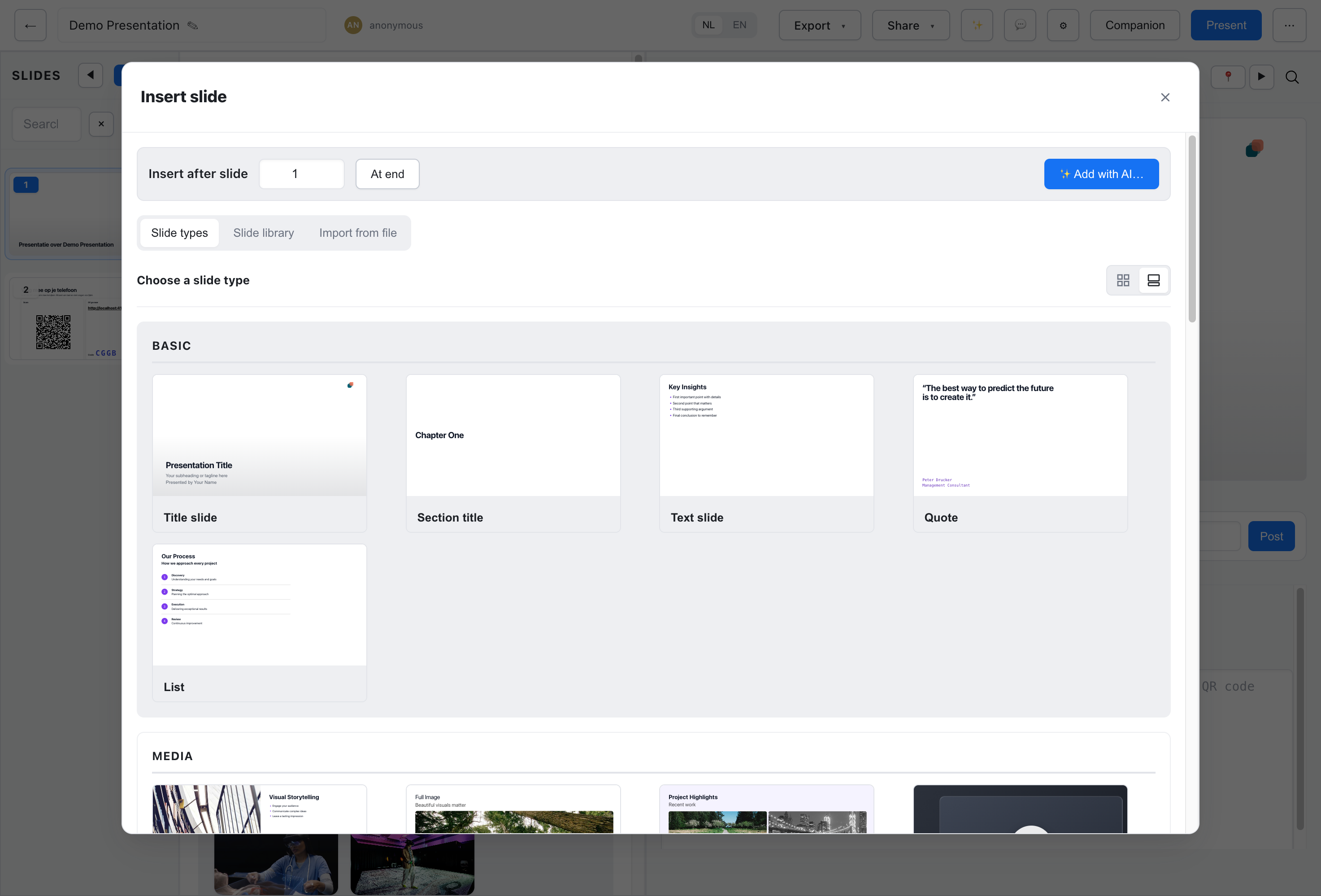
- Start with a title slide - Most presentations begin with a title slide that introduces the topic
- Plan your structure - Consider adding section slides to break up your content
- Write speaker notes early - Add notes while the content is fresh in your mind