

Search
Quickly find presentations from the search box in the top bar.
Searching
Section titled “Searching”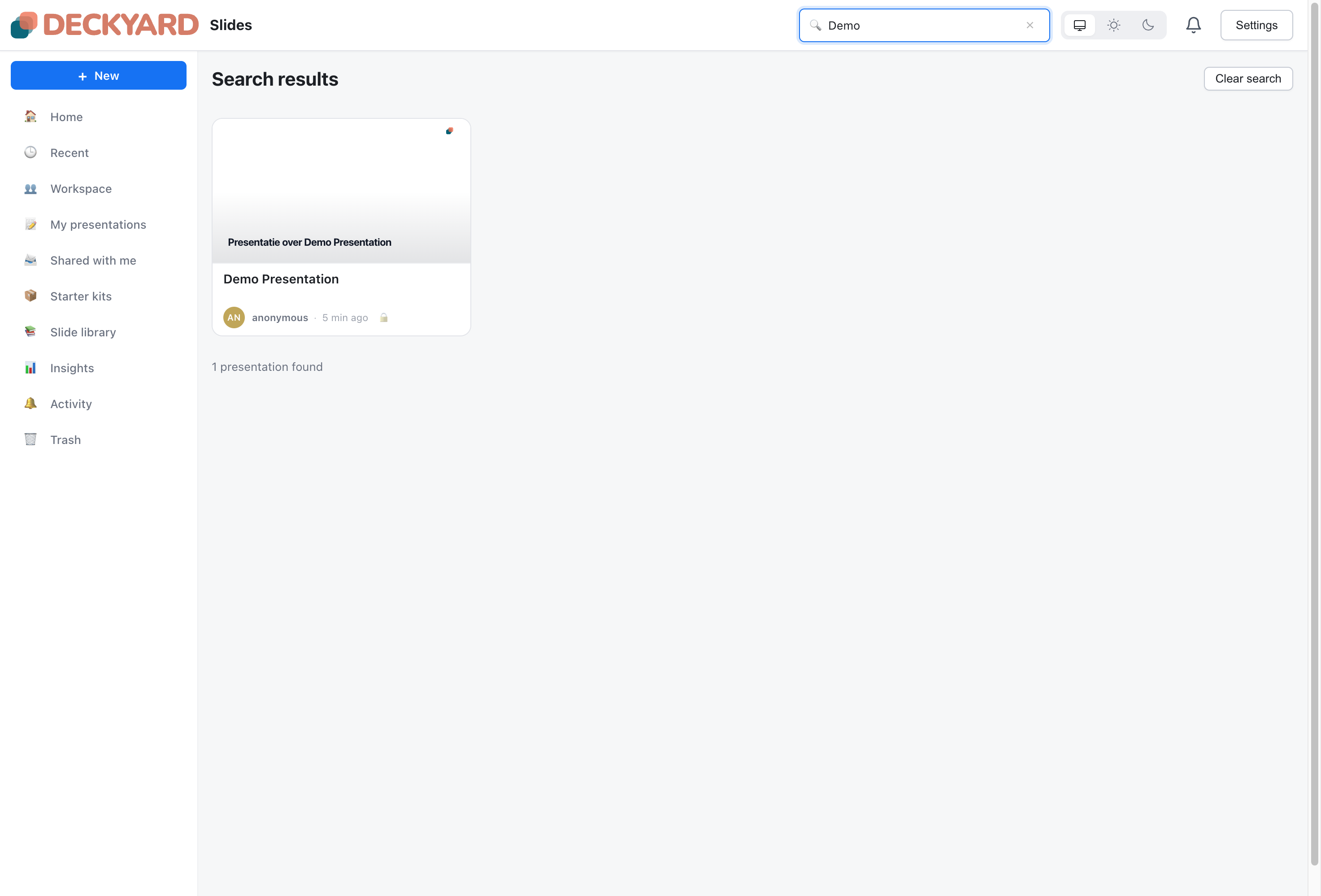
Click the search box, or press Cmd+K (Ctrl+K on Windows and Linux), and start typing. Results appear as you type, with a count of the presentations found.
Search matches text in:
- Presentation titles
- Presentation descriptions
- The owner’s name or email address
- The theme name
- The name of the person who shared a presentation with you
Search ignores capitals and accents, so “cafe” also finds “Café”.
Search does not look inside slide content or tags. To find presentations by tag, use the tag filter in the Presentations view; see Tags.
Clearing a Search
Section titled “Clearing a Search”Click Clear search, empty the search box, or press Escape in the search box. You return to the view you were on.
What Search Covers
Section titled “What Search Covers”Search looks through every presentation in your list:
- Your own presentations, private or shared
- Presentations shared with your workspace
- Presentations other people shared with you
Presentations in the trash are not included.
- Add a clear description to presentations you want to find by topic, since search reads descriptions but not slides
- If you get no results, try a shorter part of the title