

Webhooks
Webhooks send JSON to an external URL when selected events occur. An administrator configures one URL per event in the app’s webhook settings. No webhook is sent for an event whose URL is empty.
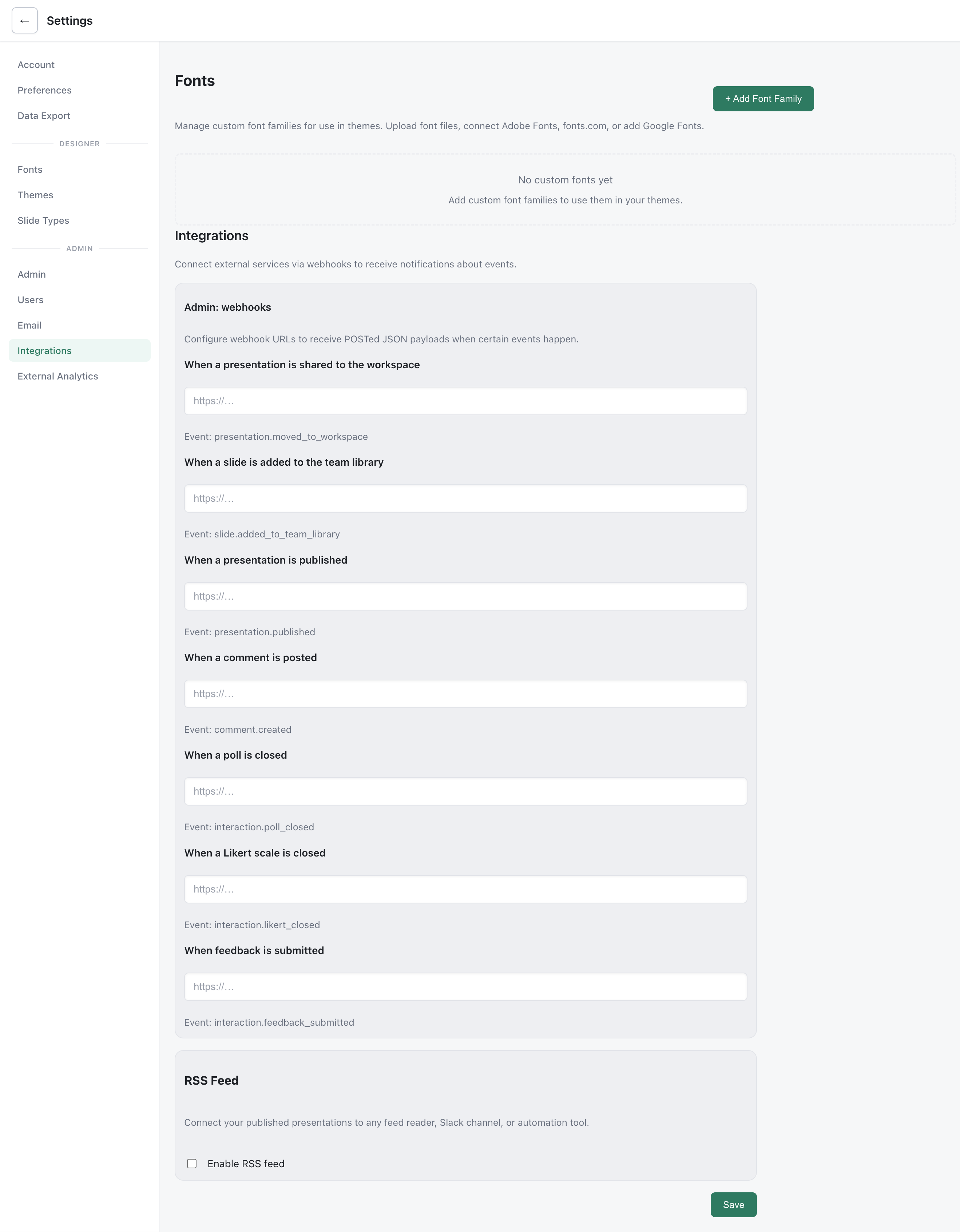
Available events
Section titled “Available events”| Event | Trigger |
|---|---|
presentation.moved_to_organization | A presentation is shared to the workspace |
slide.added_to_organization_library | A slide is added to the team library |
presentation.published | A presentation is published |
comment.created | A comment is posted |
interaction.poll_closed | A poll is closed |
interaction.likert_closed | A Likert scale is closed |
interaction.feedback_submitted | Feedback is submitted |
The presentation and comment events include event, createdAt, actor details, presentation details, and applicable links. A slide-library event carries slide details instead of presentation details. Interaction events carry event, timestamp, a session ID, and interaction details such as type, slide ID, totals, and status. Treat fields that do not apply to an event as optional.
Delivery and verification
Section titled “Delivery and verification”Deckyard sends an HTTP POST with a JSON body and an x-sb-event header. Delivery runs in the background: a failed recipient does not fail the action that produced the event. Failed deliveries are logged on the server.
You can set an optional signing secret in the admin settings. With a secret, Deckyard adds x-sb-signature: sha256=<hex>, an HMAC-SHA256 signature of the exact request body. Verify it against the raw body before processing a webhook. Without a secret, the signature header is absent.
Webhook destinations must be public HTTP or HTTPS URLs; Deckyard blocks loopback and private-network addresses. The request times out after 4.5 seconds and does not follow redirects.