

AI Translation
Translate your presentations to reach international audiences.
Overview
Section titled “Overview”A Deckyard deck holds one version per language. Translation fills a target version from a source version, using AI, and you can do it at three scales: one field, one slide, or the whole deck.
Every route ends in a preview you approve, or in a version you can still edit. Nothing is published by translating.
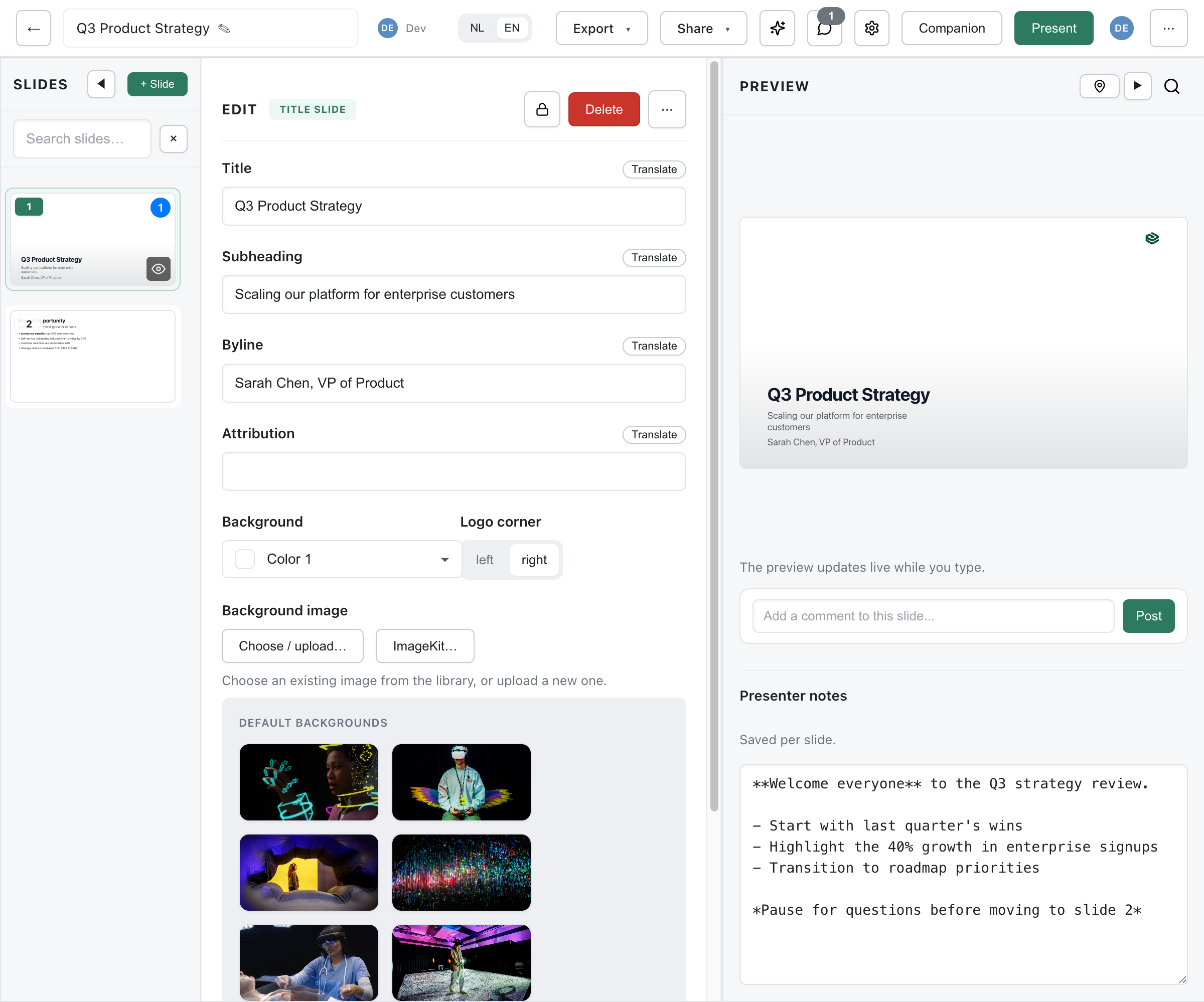
Language Versions
Section titled “Language Versions”The language selector sits in the editor toolbar and shows the language you are editing. Open it and you get, per language:
- A source badge on the version the others are filled from
- A check mark on the language you are editing
- {n} missing when that version still has empty fields
- Add language… to start a new version
- Make this the source version to change which version others are filled from
Switch to a language that has nothing in it yet, and Deckyard offers to fill it: Translate with AI, or Not now, I’ll write it myself.
Translating One Field
Section titled “Translating One Field”Each text field carries a button labelled From {lang} - “From NL” when Dutch is your source. The button only appears when the source version actually has text in that field, so you never translate from an empty one.
Clicking it opens Fill field (translation), showing the source text and the proposed translation side by side. Apply writes it into the field.
The button sits on text and markdown fields. Fields that hold a URL or an email address do not get one, and neither do the fields inside repeating item lists.
Translating One Slide
Section titled “Translating One Slide”In the slide’s … menu, choose Fill slide… to translate that slide’s fields in one go. The Fill slide (translation) dialog lists every field with its source text and the proposed translation:
- Source and target are shown per field, labelled with their language
- Apply writes all of them
There is no per-field accept or reject in this dialog. It is one preview and one decision: apply the batch, or close it and translate fields individually instead.
Translating the Whole Deck
Section titled “Translating the Whole Deck”In the editor’s … menu, Translate refreshes every other language version of the deck from the one you are editing. It appears once the deck has at least one other language version, so add the language first.
A modal reports Translating… while it runs, with the note that you can keep using the editor once it is done. There is no progress percentage and no way to cancel a run in flight; closing the modal does not stop it.
What Gets Translated
Section titled “What Gets Translated”- Slide titles, body text and bullet points
- Image captions
- Image alt text
- Text inside repeating item lists
What Does Not Get Translated
Section titled “What Does Not Get Translated”- Speaker notes. This is worth knowing: a new language version starts with a copy of the source language’s notes, and translation never touches them again. They are also never counted as missing, so the language selector can show a version as complete while its notes are still in the source language. Translate notes by hand.
- Layout and design
- Images and media
- Charts and their data
- Theme settings
Filling Only What Is Missing
Section titled “Filling Only What Is Missing”The default behaviour is additive: existing text in the target version is kept and only empty fields are filled. That is what you want when you have already corrected some translations by hand.
Overwriting is the explicit choice, not the default. Via the API the two parameters are fillMissing (on by default) and overwrite (off by default), and there is a dedicated endpoint for the missing-only case.
The presenter uses this too: open a deck whose other languages are incomplete and it fills the gaps in the background, showing Translating ({langs})… and then Translations ready.
Supported Languages
Section titled “Supported Languages”Deckyard has twelve deck languages:
| Language | Code |
|---|---|
| Dutch | nl |
| British English | en-GB |
| German | de |
| French | fr |
| Spanish | es |
| Portuguese | pt |
| Italian | it |
| Polish | pl |
| Finnish | fi |
| Danish | da |
| Swedish | sv |
| Norwegian | no |
That list is fixed. Which of the twelve your instance offers is an admin setting (Settings > Admin > Admin: supported slide languages), and a fresh instance has only Dutch and British English switched on. Switch on Finnish there and it appears in every language selector and translation dialog.
English is always en-GB in stored data; en is accepted as input and normalised.
Not on the list, and therefore not supported: right-to-left languages such as Arabic and Hebrew, and Chinese, Japanese and Korean.
Translation Quality
Section titled “Translation Quality”AI translation is good, not perfect. Expect to review:
- Nuance and register, especially in short slide titles without context
- Technical terms and product names
- Anything idiomatic
Two practical habits: finalise your source language before translating, since every version is filled from it, and check text fitting afterwards, because a translation is often longer than the original. German in particular will lengthen a heading past where it fitted.
For a deck that matters, have someone who speaks the language read it. The language selector’s {n} missing count tells you whether a version is complete, not whether it is good.
Using the API
Section titled “Using the API”Three endpoints, matching the three scales:
POST /api/presentations/{id}/translate # whole deckPOST /api/presentations/{id}/translate/missing # whole deck, empty fields onlyPOST /api/presentations/{id}/translate/fields # a map of fields, returns onlyThe first two store the result as the target language version. /translate/fields translates and returns, storing nothing: that is what the editor’s field and slide dialogs use, which is why they can show you a preview first.
The public API has a whole-deck equivalent and a language list:
POST /api/v1/presentations/{id}/translateGET /api/v1/translate/languages