

Instance Settings
Use Settings to manage instance settings and personal preferences. Available tabs depend on your instance role, designer capability, and workspace mode.
Where settings live
Section titled “Where settings live”- Settings > Admin contains supported slide languages, AI assistant identity, email sender, session duration, engagement insights, and stock media settings.
- Settings > Integrations contains webhook URLs and an optional signing secret.
- Settings > Email contains email settings and template fields.
- Settings > Preferences contains each user’s interface language, slide language mode, and notifications.
- Settings > Themes is available to users with designer access. Changing the default theme or enabled themes also requires admin rights.
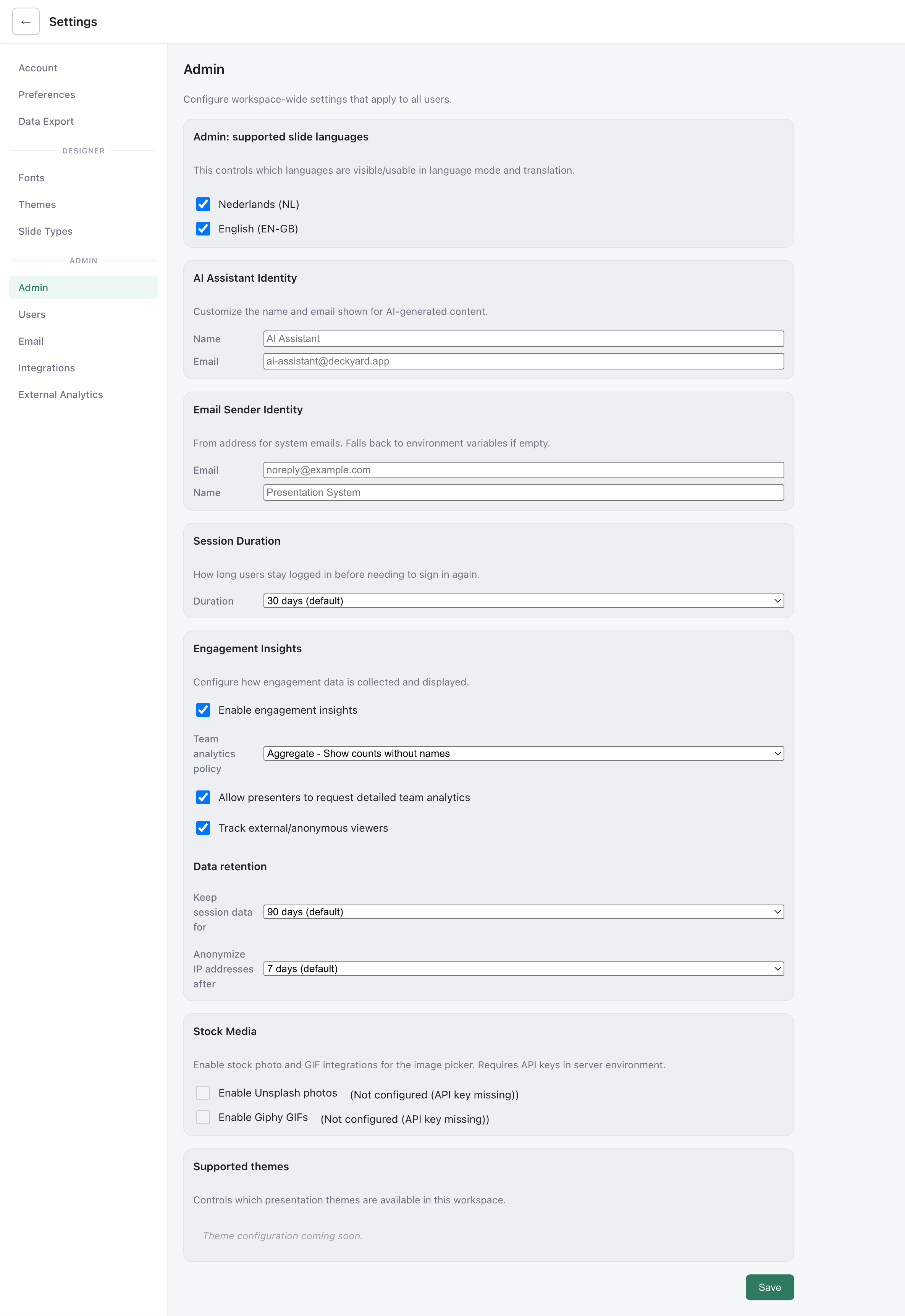
The supportedSlideLangs app setting controls which languages are available for slide content and translation. It is separate from uiLocale, each user’s interface language. The default theme uses defaultThemeId in app settings, then the DEFAULT_THEME environment variable when unset. The sender uses the emailSender setting when non-empty, then BREVO_SENDER_EMAIL and BREVO_SENDER_NAME.
Webhook Configuration
Section titled “Webhook Configuration”Enter a URL for each event you want to receive under Settings > Integrations. Supported events are presentation.published, presentation.moved_to_organization, slide.added_to_organization_library, comment.created, interaction.poll_closed, interaction.feedback_submitted, and interaction.likert_closed.
Deckyard sends a JSON POST in the background. Each request has content-type: application/json; charset=utf-8, user-agent: Deckyard-Webhook/1, and x-sb-event: <event-name>. The request times out after 4.5 seconds; failed deliveries are logged and are not retried. Configure a signing secret to add x-sb-signature: sha256=<hex>, an HMAC-SHA256 signature over the exact request body. The event payload varies by event; use Webhooks for its fields. Webhook URLs are hidden from non-admin responses to the app settings API.
Feature flags
Section titled “Feature flags”| Variable | Default | Effect |
|---|---|---|
DEMO_MODE | false | Restricts some public demo actions |
SANDBOX_MODE | false | Creates temporary anonymous guest sessions |
UPLOADS_ENABLED | true | Enables direct file uploads when other mode restrictions allow them |
IMAGE_LIBRARY_ENABLED | true | Enables the local image library when other mode restrictions allow it |
IMAGEKIT_ONLY | false | Uses ImageKit instead of direct and local image workflows |
NOTION_FEATURE | false | Enables Notion integration endpoints |
The older DISABLE_UPLOADS and DISABLE_IMAGE_LIBRARY names are temporarily accepted with a boot warning. See Environment Variables for the complete configuration reference.
Settings API
Section titled “Settings API”GET /api/settings/app returns app settings to authenticated users, omitting webhooks for non-admins. PUT /api/settings/app updates app settings for admins. For example:
PUT /api/settings/appContent-Type: application/json
{"supportedSlideLangs":["en-GB","nl"]}
GET /api/settings/me and PUT /api/settings/me read and update personal settings. For example:
PUT /api/settings/meContent-Type: application/json
{"profile":{"name":"Jane Doe"},"uiLocale":"nl"}