

Organizing Presentations
Keep your presentations organized and easy to find.
In This Section
Section titled “In This Section”- Search - Find presentations by title, description, owner or theme
- Tags - Categorize presentations with tags
- Trash & Recovery - Recover deleted presentations
The Presentation List
Section titled “The Presentation List”The overview (/app) has a sidebar with Home, Presentations, Library, Insights, Activity and Trash. Home shows your recent presentations; Presentations shows everything you can see in one list.
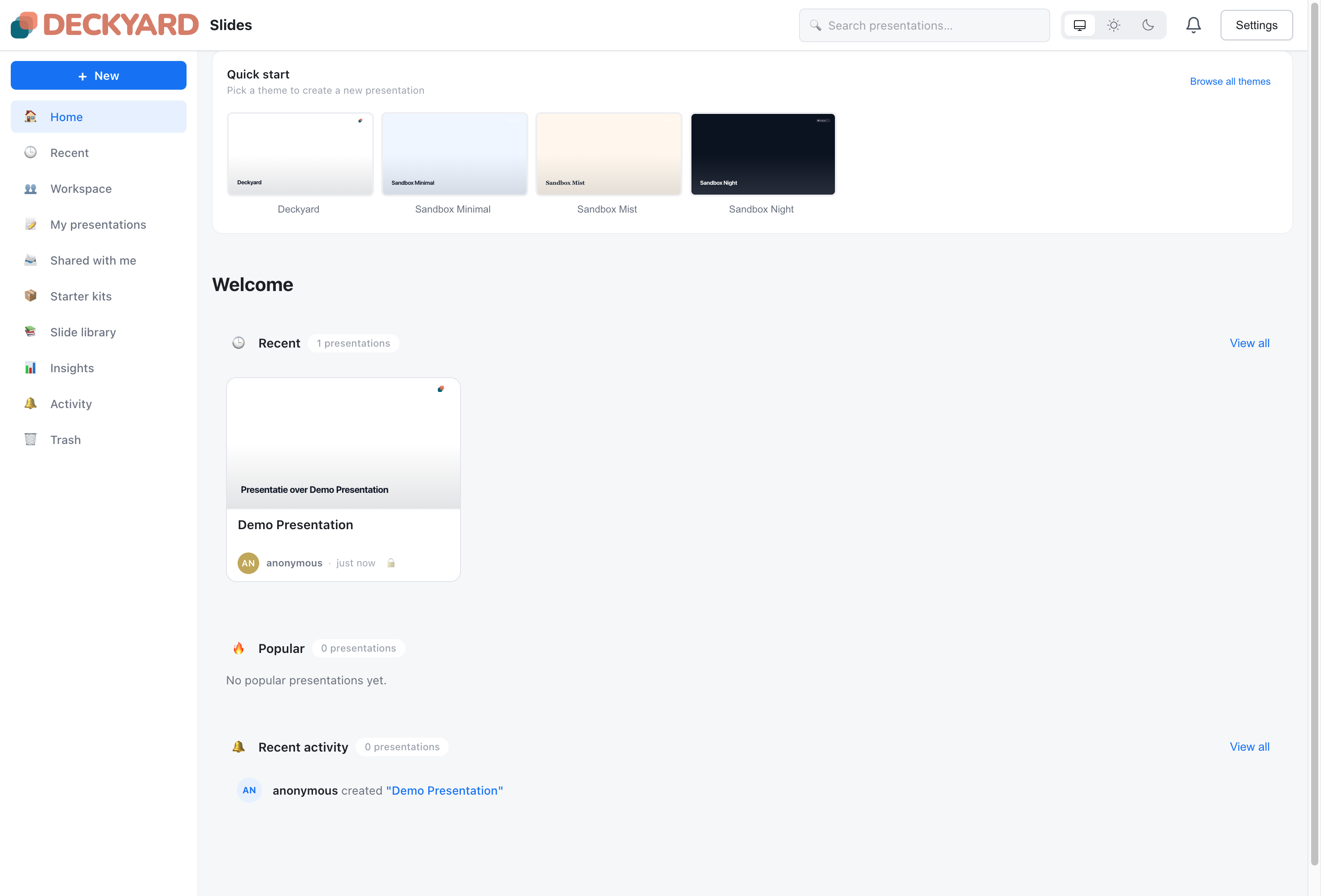
Each presentation card shows:
- Thumbnail - Preview of the deck
- Title - Presentation name
- Author and last edit - Who last updated it, and how long ago
- Visibility - Private, shared with the workspace, shared with people, or published
- Tags - Up to three tags, plus a count of the rest
The ⋯ menu on a card has Present, Duplicate and Move to trash.
Sorting and Filtering
Section titled “Sorting and Filtering”In the Presentations view:
- Source - Choose All, Mine, Workspace or Shared. Each chip shows how many presentations match.
- Sort - Last updated (the default) or Title A–Z
- Filter by tag - Show only presentations with the tags you select
The view remembers your source and sort choice. To search across all presentations, use the search box in the top bar; see Search.