Features
Create, present and share with Deckyard.
Find the tools for editing, house styles, AI, collaboration, presenting and publishing. Each section links to the documentation for the next step.
Create a deck
Turn your material into slides
Choose slide types for your content, edit their fields and reuse material from your libraries.
Editing documentation-
Types for different content
Use a timeline for events, a chart for figures or a quote for someone's words. Each type offers its own fields.
-
Edit and preview
Edit content in the form or directly on the slide where supported. The preview shows the result in your selected theme.
-
Reuse slides
Save slides in a personal library or a library shared across your organisation. Insert a copy into another deck and adapt it for that presentation.
-
Reuse images
Find and reuse uploaded images in the image library, with descriptions to help you choose the right image.
Use your brand
Give your decks a shared house style
Themes bring colours, fonts and logos together. Choose a theme for the deck, then check how your content looks in it.
Theme documentation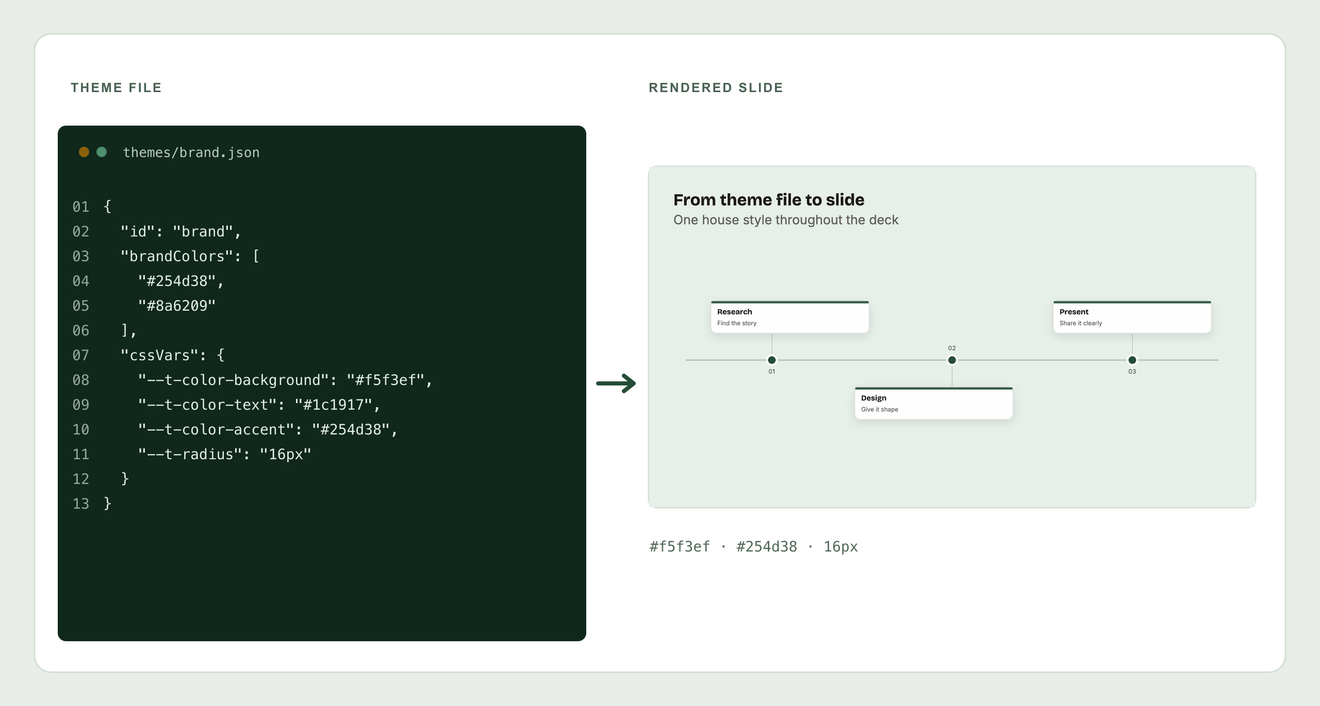
-
Choose a theme
Apply a theme to a new or existing deck. Check the slides after switching, because layout and available options can differ.
-
Maintain your house style
Configure your organisation's colours, typography and logos in a theme. Themes can also be stored as JSON files.
-
Use your own fonts
Add font files through font management. Use fonts whose licence allows the way you distribute and publish your presentations.
Work with AI
Get a draft you can work on
When AI is configured on your instance, use it to organise material and help with translations. Review its suggestions before sharing the result.
AI setup documentation-
Start from notes
Turn notes or source text into a first draft of a deck. Edit the resulting slides and check them against your source.
-
Translate content
Request translations for a field, a slide or a deck. Review the proposed text before applying it.
-
Suggest image descriptions
Generate draft alt text for images and edit it for the context. This feature currently requires an OpenAI configuration.
-
Connect your own agent
Use MCP to let an agent inspect slide types and edit presentations within its access permissions.
Work together
Edit and review a deck together
Give colleagues access to the deck, discuss slides in comments and use version history when you need to revisit earlier work.
Collaboration documentation
-
Set access permissions
Choose who can view, comment on or edit a deck. Match access to the role each colleague has in the work.
-
Discuss a slide
Leave comments on a slide and reply in the thread. Owners and administrators can resolve a discussion when it has been addressed.
-
Edit at the same time
Live co-editing is off by default and must be enabled on the instance. When enabled, colleagues can work in the same deck; coordinate changes to the same field.
-
Revisit an earlier version
Inspect saved versions and restore an earlier version when needed.
Present
Present and involve your audience
Use the presenter view to keep track of your talk. Add interactive slides when you want the audience to take part.
Presenter documentation
-
Notes and the next slide
Keep speaker notes and a preview of the next slide in the presenter view while the audience sees the presentation.
-
Poll the room
Add polls and rating questions. Participants answer on their own devices during the live session.
-
Collect questions
Let participants submit questions. During the session, moderators can remove questions or turn a question into a slide.
-
Let people follow along
Share the live session's code or link so participants can follow the presentation on their own device. Live interaction needs a connection.
Publish and export
Share the result in a suitable format
Publish a deck, create an access-controlled share link or export a file. Choose the route that fits your audience and how they will use it.
Publishing documentation
-
Publish and embed
Publish a deck for access through a public link, or embed the published presentation in a web page.
-
Share with access rules
Create a share link with permissions and options such as a password or expiry date. Manage these separately from public publication.
-
Export an HTML presentation
Download an HTML viewer. Check external assets before offline use; live interaction still needs the server.
-
Export for other uses
Export PDF, PowerPoint, PNG or JSON. PowerPoint exports mainly contain slide images; do not expect every element to remain editable.
Choose where to run Deckyard
Install Deckyard on your own server, or discuss managed hosting. The hosting page explains the pilot offer and the arrangements to make before starting.